APOSTLE
arrow_back Google's AI Creative Suite
Module 05 Complete Pipeline

End-to-End Google Stack Workflow

Chain the entire Google AI creative stack into a professional production pipeline, with a complete worked example from creative brief to final export.

schedule 12 min
signal_cellular_alt Advanced
menu_book Lesson 05 of 5

Learning Objectives

By the end of this module, you will be able to:

  • Execute the complete Nano Banana Pro → Veo 3.1 → Flow → NLE pipeline end-to-end
  • Apply the "ingredient-first" philosophy specifically to Google's toolchain
  • Manage a real production from creative brief through final delivery using only Google's AI stack + an NLE
  • Estimate time and cost for Google-stack productions
  • Identify when to supplement Google tools with external tools (and when not to)

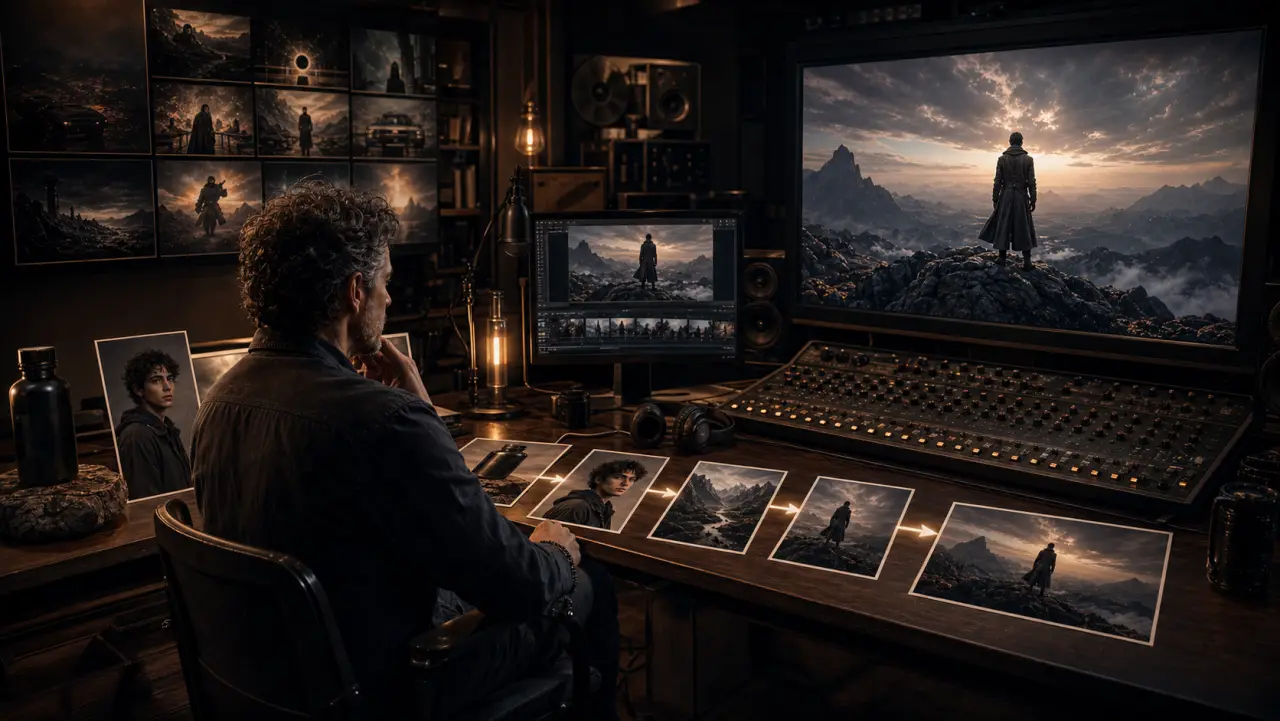
The Google Stack Pipeline

Here's the complete production flow using only Google's AI creative tools:

BRIEF
  ↓
SCRIPT (Gemini / Claude)
  Write shot descriptions, dialogue, audio direction
  ↓
CHARACTERS (Nano Banana Pro)
  Generate character references: headshots, full body, expressions
  Upload as Ingredients in Flow
  ↓
ENVIRONMENTS (Nano Banana Pro)
  Generate location references: establishing shots, details, textures
  Extract color palettes
  Upload as Ingredients in Flow
  ↓
KEYFRAMES (Nano Banana Pro)
  Compose start frames combining characters + environments
  Optional: compose end frames for guided interpolation
  ↓
VIDEO CLIPS (Veo 3.1 via Flow)
  Animate keyframes with camera movement and audio
  Use Ingredients for consistency
  Generate 2-3 takes per scene, select best
  ↓
ASSEMBLY (Flow → NLE)
  Rough arrangement in Flow's Storyboard View
  Export individual clips
  Final edit in Premiere Pro / DaVinci Resolve
  ↓
FINISH (NLE)
  Color grade for consistency
  Audio mix (native audio + supplementary music/VO)
  Add text, graphics, brand elements
  Export for all platforms

Complete Worked Example: 30-Second Wellness Brand Video

Let's walk through every step for a real production.

Brief: 30-second brand video for "STILLNESS" — a meditation app. Target: professionals 28-45. Mood: calm, grounding, aspirational. Platforms: Instagram Reels (9:16), YouTube pre-roll (16:9), website hero.

Phase 1: Script & Planning (30 minutes)

SHOT 1 — 5s (Establishing)
SCENE: Pre-dawn bedroom, blue hour light through sheer curtains
ACTION: Empty meditation cushion by the window, gentle curtain movement
CAMERA: Slow dolly in toward the cushion, eye level
AUDIO: Distant dawn sounds, very quiet, a single singing bowl tone fades in

SHOT 2 — 6s (Character introduction)
SCENE: Same bedroom, now with soft morning light emerging
ACTION: A woman (Aria) sits cross-legged on the cushion, eyes closed,
        breathing deeply, serene expression
CAMERA: Medium shot, static, stable
AUDIO: Gentle breathing, ambient room tone, singing bowl sustain

SHOT 3 — 6s (Transition)
SCENE: She opens her eyes slowly, subtle smile, reaches for her phone
        on the floor beside her. The STILLNESS app is visible on screen.
CAMERA: Close-up on face opening eyes, then medium as she reaches down
AUDIO: Morning birdsong beginning, soft piano note enters

SHOT 4 — 5s (The world opens up)
SCENE: She stands and walks to the window, pulls curtain aside,
        morning sunlight floods the room
CAMERA: Following shot, then hold on the sunlit window
AUDIO: Piano theme builds gently, morning city sounds, warmth

SHOT 5 — 4s (Brand close)
SCENE: Clean warm gradient background
ACTION: STILLNESS logo appears, then tagline "Your morning starts here."
CAMERA: Static center
AUDIO: Piano resolves to single note, silence, then gentle tone
TOOL: Nano Banana Pro (static image) + simple animation in post

Phase 2: Character & Environment Creation (2 hours)

Character — Aria:

Nano Banana Pro prompt (headshot):
"A photorealistic portrait of a woman in her early 30s, South Asian
features, dark brown eyes, black hair in a loose low bun, clear
warm brown skin, minimal makeup — just moisturized natural skin.
Peaceful, centered expression. Wearing a simple white cotton t-shirt.
Clean light grey background. Soft, even lighting. Shot on Sony A7IV,
85mm f/1.8. Natural, no retouching. 4K resolution."

Generate 3 variations, select the best. Then use multi-turn editing to create additional references:

Turn 2: "Now show her full body, sitting cross-legged on a meditation
cushion. She wears loose light grey linen pants and the same white
t-shirt. Bare feet. Same person, same face."

Turn 3: "Create an expression sheet — 4 images in a grid: eyes closed
peaceful, eyes opening gently, subtle warm smile, and serene neutral.
Same person throughout."

Environment — Bedroom:

Nano Banana Pro prompt:
"A minimalist bedroom at blue hour (pre-dawn). Large floor-to-ceiling
window with sheer white curtains. A round meditation cushion in
charcoal grey on a light wooden floor near the window. A single
small plant on the windowsill. The room is sparse, calm, intentional.
Pale warm walls. Subtle blue pre-dawn light filtering through curtains.
Interior photography, Kinfolk magazine aesthetic. Shot on Fujifilm
GFX 50S, 32mm f/4."

Extract color palette:

Upload the bedroom image to Gemini: "Extract the 6 dominant colors
as hex codes with names."

Result:
#1A2238 — Deep Blue Dawn (shadows, sky)
#8B9DAF — Dusty Blue (curtain light)
#F5F0EB — Warm White (walls)
#C4B8A8 — Linen (floor, cushion)
#E8D5C4 — Cream (skin tone base)
#F9E4B7 — Morning Gold (emerging sunlight)

Keyframe compositions:

For each shot, compose the exact first frame in Nano Banana Pro:

Shot 1 keyframe (upload bedroom reference):
"The empty bedroom from the reference image. Pre-dawn blue hour.
The meditation cushion is centered in the frame. Sheer curtains
move slightly. Blue tones dominate. Calm, still, anticipatory.
Compose at 16:9 aspect ratio, the cushion in the lower third."

Shot 2 keyframe (upload Aria + bedroom):
"Place Aria from Image 1 sitting cross-legged on the meditation
cushion in the bedroom from Image 2. She's in the position from
her full-body reference. Eyes closed, peaceful. Early morning
light is slightly warmer now — dawn progressing. Medium shot.
Same person, same face as Image 1."

Shot 3 keyframe:
"Aria, eyes opening, gentle smile forming. Slightly tighter framing
— close-up on her face and upper body. The morning light is growing
warmer. She's beginning to reach her right hand down toward a phone
on the floor beside the cushion."

Shot 4 keyframe:
"Aria standing at the window, right hand pulling the sheer curtain
aside. Golden morning sunlight streams through the gap. She's
silhouetted slightly with warm rim light. The room behind her is
visible. Full body, from behind at a slight angle."

Phase 3: Video Generation in Flow (2-3 hours)

Upload all ingredients to a new Flow project:

  • Character: Aria (headshot, full body, expressions)
  • Location: Bedroom (establishing, details)
  • Style: Warm minimal (color palette reference, Kinfolk aesthetic reference)

Generate each scene, attaching the corresponding keyframe as the start image and the relevant ingredients:

Scene 1: Keyframe → Veo 3.1
"Slow dolly in toward the meditation cushion. The curtains shift
gently in a barely perceptible breeze. Pre-dawn blue light.
Silence except for a single distant singing bowl tone that
fades in gradually."
→ Generate 3 takes. Select best.

Scene 2: Keyframe → Veo 3.1
"Static camera, locked off. Aria breathes deeply — her chest
and shoulders rise and fall with slow, intentional breaths.
Her expression is deeply peaceful. The light gradually warms
very slightly over the 6 seconds. Quiet breathing sound,
room tone, the singing bowl sustains faintly."
→ Generate 3 takes. Select best.

Scene 3: Keyframe → Veo 3.1
"Aria's eyes open slowly. A subtle smile. She looks down and
reaches for her phone beside the cushion. The phone screen
shows a simple app interface. Camera slightly pushes in.
Morning birdsong begins outside. A single soft piano note."
→ Generate 3 takes. Select best.

Scene 4: Keyframe → Veo 3.1
"Aria walks to the window — two steps — and pulls the curtain
aside. Golden sunlight floods into the room. She stands in the
light, face tilted slightly up, eyes closing in the warmth.
Camera follows her walk, then holds. Piano melody begins,
simple and warm. Morning city sounds — distant traffic, birds."
→ Generate 3 takes. Select best.

Scene 5 (brand close) is a Nano Banana Pro static image animated simply in post-production — a logo fade and text reveal, not an AI video generation task.

Phase 4: Finishing in Post (2 hours)

  1. Export all 4 clips + the brand card image from Flow
  2. Import into Premiere Pro
  3. Assemble in sequence, trim generation artifacts from clip edges
  4. Color grade:
    • Normalize exposure and white balance across all clips
    • Apply a unified warm grade that matches the Dawn → Morning arc
    • Add subtle film grain (Kodak Portra 160 emulation)
    • Slightly lift blacks for a soft, gentle contrast profile
  5. Audio mix:
    • Native Veo audio provides the ambient bed
    • Layer in the piano music track (generated in Suno, matched to 30-second length)
    • Add the singing bowl SFX at the opening
    • Mix dialogue-free — music + ambient only
  6. Graphics:
    • Fade in the STILLNESS brand card at the end
    • Text animation: "Your morning starts here." using brand typography
  7. Export:
    • 16:9 at 1080p for YouTube pre-roll
    • 9:16 reframed for Instagram Reels
    • 1:1 center-cropped for Instagram feed

Production Summary

Phase Time Cost
Script & planning 30 min
Character & environment creation (Nano Banana Pro) 2 hrs ~$2-5 in API costs
Keyframe composition (Nano Banana Pro) 45 min ~$1-3
Video generation (Veo 3.1 via Flow) 2-3 hrs ~$5-15 (4 scenes x 3 takes x ~$0.50-1)
Post-production (NLE) 2 hrs NLE subscription
Total 7-9 hours ~$10-25 + subscriptions

Traditional equivalent for this quality level: a half-day shoot with talent, location, DP, and editor — approximately $5,000-15,000 and 2-3 weeks from brief to delivery.


When to Supplement Google's Stack

Google's creative AI tools handle 80% of production needs. For the other 20%, you may need external tools:

Need Google Can't Do Supplement With
Precise camera choreography Veo describes movement, doesn't execute with frame precision Kling 2.6 (camera presets)
Artistic stylization Veo defaults to photorealism Runway Gen-4.5 (style transfer)
Voice cloning / brand voice Native Veo voices are generic ElevenLabs
Custom music with exact timing Native audio is generative, not precise Suno / Udio
Frame-accurate editing Flow is scene-level, not frame-level Premiere Pro / DaVinci Resolve
Open-source local generation Google's tools are cloud-only FLUX + ComfyUI
Character LoRA training No custom model training in Google's stack FLUX LoRA via fal.ai or RunPod

The Google stack is strongest for: photorealistic content, text-heavy assets, narrative video with dialogue, brand asset systems, and rapid iteration through multi-turn editing.


Practical Exercise

Exercise: Produce a 15-Second Video Using Only Google Tools

Create a simple 15-second video (3 shots, ~5 seconds each) for a fictional brand of your choice.

  1. Write the 3-shot SDS (Shot Description Script)
  2. Generate character and environment references in Nano Banana Pro
  3. Compose 3 keyframes in Nano Banana Pro
  4. Generate 3 clips in Veo 3.1 (via Gemini app, AI Studio, or Flow)
  5. Assemble in any video editor (even free tools like CapCut or DaVinci Resolve free)
  6. Apply a simple color grade and export

This is the capstone exercise for the entire course. Completing it means you've executed the full Google AI creative pipeline from brief to delivery.


Key Takeaways

  • The Google pipeline flows: Nano Banana Pro → Veo 3.1 → Flow → NLE. Each tool handles a specific phase — image ingredients, video generation, scene management, and finishing.
  • The complete pipeline produces a 30-second brand video in 7-9 hours for $10-25 in AI costs — versus $5,000-15,000 and weeks for traditional production.
  • Phase allocation mirrors Course 1: roughly 40% prep, 30% generation, 30% finishing.
  • Google's stack excels at photorealism, text rendering, and dialogue — supplement with Kling for camera precision and Runway for artistic stylization.
  • The interconnection is the superpower — Nano Banana Pro images flow naturally into Veo 3.1 video because they share the same underlying architecture.

What's Next

You've now mastered Google's AI creative toolchain — the most accessible and increasingly the most powerful creative AI pipeline available.

Continue learning with our other free courses:

  • AI Video Production: The Professional Pipeline — tool-agnostic professional methodology
  • AI Video Ads That Convert — commercial application of everything you've learned
  • Character Consistency Across AI Tools — deep dive on the #1 professional challenge

Need professional AI video production? Apostle.io uses Google's creative AI stack alongside Kling, Runway, and professional post-production to deliver campaign-ready video for brands and agencies. The pipeline you've learned in this course is the foundation of our production workflow.

Explore Apostle.io's Services →


References & Resources

Copied to clipboard