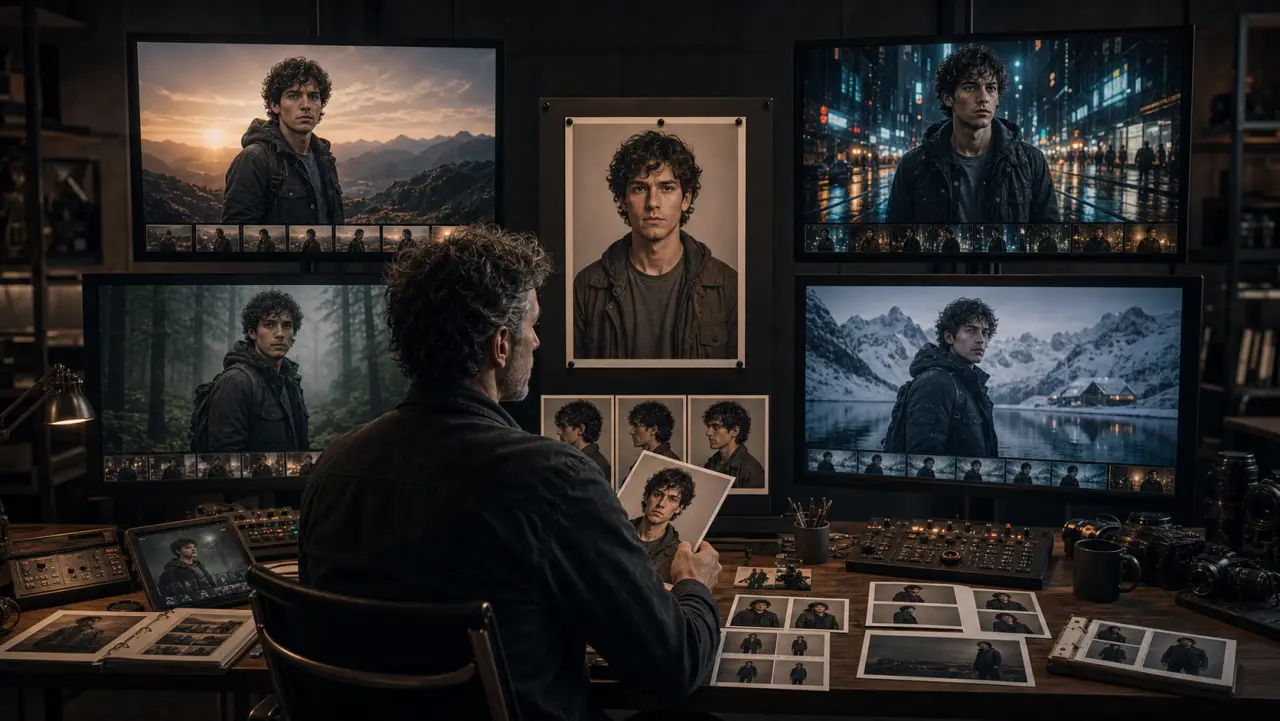
Midjourney V7: Omni Reference (--oref)
Omni Reference is Midjourney V7's primary consistency tool. It replaces V6's --cref (Character Reference) with a more versatile system that works for people, objects, logos, and creatures.
Basic Usage
- Upload your headshot to Midjourney's web interface
- Drag it to the "Omni Reference" slot in the Imagine bar
- Write your scene prompt
- Adjust the --ow (Omni Weight) slider
The Weight Guide (Critical)
The --ow parameter controls how strictly the model adheres to your reference. Getting this right is the difference between "recognizable" and "identical."
--ow 25-50: LOOSE — Same general type, allows heavy style transfer
Use for: converting characters into cartoon/anime/painting styles
--ow 100: DEFAULT — Balanced adherence, room for creative interpretation
Use for: general scenes where approximate likeness is sufficient
--ow 150-200: STRONG — Tight facial adherence, allows scene/lighting variation
Use for: most professional work, campaigns, social content
★ RECOMMENDED STARTING POINT FOR MOST PROJECTS ★
--ow 250-350: VERY STRONG — Near-identical face, some creative constraints
Use for: when exact likeness is critical (close-ups, hero shots)
--ow 400-600: MAXIMUM PRACTICAL — Very high fidelity but quality may degrade
Use for: paired with high --stylize/--exp when you need both
style AND likeness
--ow 600-1000: EXTREME — Often degrades quality. Rarely recommended.
Midjourney themselves advise against exceeding 400 without
high --stylize/--exp values
The golden rule from Midjourney's official guidance: "If you aren't using extremely high stylize and exp, you should probably never go over --ow 400."
Optimal Parameter Combinations
For photorealistic character consistency:
--oref [image] --ow 200 --s 200 --style raw --q 2
For stylized character consistency (illustration, anime):
--oref [image] --ow 100 --s 500 --exp 25
For maximum likeness in cinematic scenes:
--oref [image] --ow 300 --s 400 --exp 10 --q 2
For character + style reference combined:
--oref [character image] --ow 200 --sref [style image] --sw 100 --s 300
Midjourney Consistency Workflow (10-Image Series)
Step 1: Generate anchor headshot (no --oref needed for the first image)
Step 2: Use anchor as --oref for images 2-5 (--ow 200)
Step 3: After image 5, check for drift. If drifting:
→ Return to original anchor headshot (not image 5)
→ Increase --ow to 250
Step 4: Use original anchor for images 6-10
Step 5: Final check: place images 1, 5, and 10 side by side. Same person?
Key rule: ALWAYS reference back to the ORIGINAL anchor, not recent outputs. Recent outputs carry accumulated drift. The original anchor is your fixed point.
Midjourney Limitations
- Only ONE Omni Reference image per prompt (cannot combine multiple face references)
- NOT compatible with: Vary Region, Pan, Zoom Out, Draft Mode, --q 4
- Costs 2× GPU time per generation
- Faces smaller than ~15% of the image area may not be preserved accurately
- --cref (V6) does NOT work in V7 — use --oref exclusively
Nano Banana Pro: Multi-Method Consistency
Nano Banana Pro offers the most flexible consistency options because it's a language model that understands context — not just a diffusion model matching patterns.
Method 1: Multi-Turn Conversation (Simplest)
Generate your character in Turn 1 with extreme detail, then reference "the same person" in subsequent turns within the same chat session.
Turn 1: "Create a portrait of a woman named Elena. She is 32 with
an oval face, high cheekbones, wide-set hazel eyes, a small mole
on her left cheek, short wavy dark-brown hair in a chin-length bob
with a side part, and light olive skin with freckles across her nose.
Clean grey background, 85mm lens, soft studio lighting."
Turn 2: "Now show Elena sitting at a café table by a window.
Afternoon light. She's reading a book. Same person, same features."
Turn 3: "Elena is now outdoors, laughing in a park. Golden hour.
Same person — maintain the mole, the freckles, the exact hair."
Effective range: 5-8 turns before drift becomes noticeable. Beyond that, start a new session and upload the best image as a reference.
Method 2: Multi-Reference Upload (Most Reliable)
Upload 3-4 images of the character alongside your prompt. The model triangulates identity from multiple viewpoints.
response = client.models.generate_content(
model="gemini-3-pro-image-preview",
contents=[
Image.open("marcus-headshot.png"),
Image.open("marcus-three-quarter.png"),
Image.open("marcus-full-body.png"),
"This is Marcus — the same man shown in all three reference "
"images. Generate Marcus sitting at a modern desk working on "
"a laptop in a bright office. He wears a dark grey t-shirt. "
"Focused expression. Window light from the left. Medium shot. "
"Maintain his EXACT facial features: the scar through the left "
"eyebrow, the close-cropped hair with fade, the short beard, "
"the warm brown skin tone. Do not change any facial proportions."
],
config=types.GenerateContentConfig(
response_modalities=["TEXT", "IMAGE"],
image_config=types.ImageConfig(aspect_ratio="16:9", image_size="2K")
)
)
Why 3 references beat 1: A single reference gives the model one data point. The model must guess what the character looks like from angles it hasn't seen. Three references (front, three-quarter, full body) give the model enough information to reconstruct the character accurately from any new angle.
Method 3: Identity Header Anchoring (Best for Teams)
Paste the full Identity Header from Module 2 into every prompt, combined with at least one reference image.
The Identity Header provides text-based reinforcement. The reference image provides visual anchoring. Together, they create the triple-layer consistency that produces Level 2 results across 10-20+ images.
Nano Banana Pro Consistency Tips
- Add "Do not change facial features or proportions" to every turn
- When drift occurs, upload the original headshot and say "This is what [name] looks like — return to this exact face"
- Use the same lighting and camera specifications across all prompts to prevent Style Contamination
- For critical features (scars, moles, birthmarks), mention them in EVERY prompt
- Keep conversation sessions under 8 turns; start fresh with reference uploads for longer projects
FLUX: IP-Adapter and LoRA Training
FLUX offers two approaches: fast and easy (IP-Adapter) or slow and powerful (LoRA training).
IP-Adapter (Quick, No Training)
IP-Adapter is a plugin for ComfyUI that takes a reference image and injects its identity features into the generation process. No training required — plug in the reference and generate.
ComfyUI workflow:
1. Load FLUX Dev or FLUX Schnell as base model
2. Add IP-Adapter node
3. Connect your character headshot to the IP-Adapter input
4. Set IP-Adapter weight: 0.7-0.85 (too high = copy, too low = ignore)
5. Write your scene prompt in the text encoder
6. Generate
Optimal settings:
- IP-Adapter weight: 0.75 (balanced identity + flexibility)
- Noise strength: 0.6-0.8 (lower = closer to reference)
Pros: Zero training time, works immediately, good for quick projects. Cons: Less consistent than LoRA across many images, face can drift with unusual poses or lighting.
LoRA Training (Maximum Consistency)
For projects requiring Level 3 (Locked) consistency across 50+ images, train a custom LoRA on your character's face.
Requirements:
- 15-20 high-quality photos of the character (real or AI-generated)
- Various angles, expressions, and lighting conditions
- All at least 1024×1024 resolution
- GPU with 20-24GB VRAM (or cloud: RunPod, fal.ai)
Training steps:
1. Prepare 15-20 images, all cropped to face + shoulders
2. Auto-caption with Florence 2, then review ALL captions
3. Add trigger word to every caption: "sks_marcus" (unique, non-dictionary)
4. Set parameters:
- Learning rate: 2.5e-5 (character LoRAs need lower LR)
- Steps: 1000-2000
- Resolution: 1024×1024
- Network dim (rank): 16-32 (higher = more detail, more overfitting risk)
5. Train (~1.5 hours on L4 GPU, ~$2-5 on fal.ai)
6. Test: Load .safetensors in ComfyUI
- Include trigger word in prompt: "sks_marcus sitting at a desk"
- Adjust LoRA strength: 0.8-1.0
Pros: Highest possible consistency, works for unlimited generations, can capture subtle features no other method can. Cons: Requires training time and compute cost, training dataset must be high quality, overfitting can make the character appear in every generation regardless of prompt.
Higgsfield SOUL ID (Fastest to Lock)
SOUL ID provides the fastest path to Level 3 consistency — upload photos and have a locked character identity in under 5 minutes.
Workflow:
1. Collect 10-20 clear photos of the face
- Multiple angles (front, three-quarter, side)
- Good lighting, clear features
- NO sunglasses, masks, or heavy shadow on face
2. Upload to higgsfield.ai → Character tab → Create SOUL ID
3. Wait ~3-5 minutes for training
4. Generate with any of SOUL 2.0's 20+ presets
5. The character's face is locked for ALL future generations
Cost: ~$3 per SOUL ID training
Subscription: Starts at $9/month
Pros: Fastest setup (5 minutes), extremely consistent, 20+ built-in style presets, excellent for fashion and editorial content. Cons: Locked to Higgsfield's ecosystem (can't export the model to other tools), style options limited to SOUL 2.0's aesthetic range, less flexible than LoRA for unusual scenes.
Choosing the Right Technique
| Project Type | Best Method | Setup Time | Consistency Level |
|---|---|---|---|
| Quick social post series (5-10 images) | Midjourney --oref | 5 min | Recognizable |
| Brand campaign (10-20 images) | Nano Banana Pro multi-reference + Identity Header | 30-60 min | Consistent |
| Fashion/editorial series | SOUL ID | 5 min | Locked |
| Video project with recurring character | Nano Banana Pro refs → Veo/Kling | 60 min | Consistent |
| Long-running character IP (50+ images) | FLUX LoRA training | 2-4 hours | Locked |
| Multi-tool production pipeline | Character package (Module 2) + tool-specific method per stage | 90 min | Consistent |
Practical Exercise
Exercise: Consistency Comparison Test
Using the character reference package you built in Module 2:
- Generate the same character in 3 different scenes using Midjourney --oref (--ow 200)
- Generate the same 3 scenes using Nano Banana Pro multi-reference upload
- Place the 6 images side by side (3 from each tool)
- Score each on a 1-10 scale for character consistency
- Identify which features each tool preserved best and which it struggled with
This head-to-head comparison builds practical intuition about each tool's consistency strengths — knowledge that's impossible to get from reading documentation alone.
Key Takeaways
- Midjourney --oref at --ow 150-200 is the best starting point for most professional work. Never exceed --ow 400 without high --stylize/--exp.
- Nano Banana Pro multi-reference (3-4 images) is the most reliable single-tool method for 10-20 image consistency.
- FLUX LoRA training produces Level 3 (Locked) consistency but requires 2-4 hours of setup and compute cost.
- SOUL ID is the fastest path to locked consistency (5 minutes) but is limited to Higgsfield's ecosystem.
- Always reference the ORIGINAL anchor image, not recent outputs. Recent outputs carry accumulated drift.
- Choose your technique based on project requirements — don't over-invest in consistency for a quick social series, and don't under-invest for a brand campaign.
References & Resources
- Midjourney: Omni Reference Docs
- Midjourney Updates: Omni-Reference --oref Announcement
- Google AI: Nano Banana Image Generation
- Higgsfield: SOUL ID — Character Consistency
- Apatero Blog: Flux LoRA Training in ComfyUI
- Pinterest board — AI Character Consistency Examples: https://pinterest.com/search/pins/?q=ai%20character%20consistency%20reference%20sheet
Inquiry